The things that should be locked away, kept in one place
Two-factor codes in one app, passwords in a notes app, and the things you would rather nobody saw hidden somewhere else again. DualKey puts all three in one: stored in the iOS Keychain and Android Keystore — the operating system's own encrypted store — offline by default, with no account and no backend of ours. Turn on Pro backup when you change phones, and it goes to your own cloud.
Four tabs
Codes / Vault / Notes / Settings
Devices
iOS / iPadOS / Android
Standards
RFC 6238 TOTP / RFC 4226 HOTP
Who it is for
Anyone switching authenticator apps / anyone who would rather not hand passwords to a browser / anyone who wants it kept offline
Why these three belong in the same app
Codes, passwords and private notes have one thing in common: nobody else should see them, and they should not be tied to somebody's account. DualKey handles all three with the same encryption and the same backup.
Offline by default
Code secrets and vault entries live in the iOS Keychain and Android Keystore — the encrypted store the operating system provides — and note contents are encrypted before they are written. No account, no backend of ours, no sync switched on behind your back. Unless you turn on Pro backup, none of it has ever left your phone.
Cloud backup is a choice, not the default
Worried about losing everything when you change phones? Pro adds a backup that encrypts the contents and writes them only to your own iCloud or Google storage; our servers are never involved. Both backup and restore run only when you press them — there is no background sync.
Bought once, no subscription, no analytics
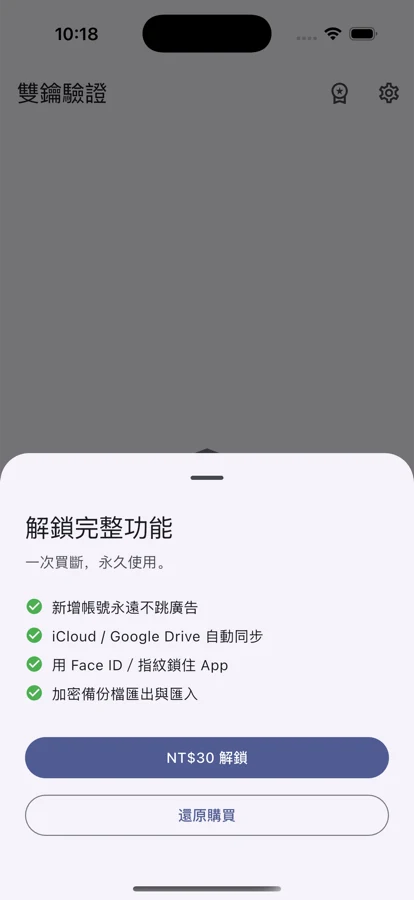
NT$30 once. No monthly fee, no chain of in-app purchases, no analytics or tracking tools of any kind. The password vault and private notes are currently free with no limit; from the fifth authenticator account onwards, adding another means watching one short ad first, and Pro removes ads permanently and unlocks backup.
Codes, a password vault and private notes in one app
From scanning a QR and copying a code to saving a login, writing an encrypted note and restoring it all on a new phone — here is how DualKey handles everything that ought to stay locked.
The code, the second you open it
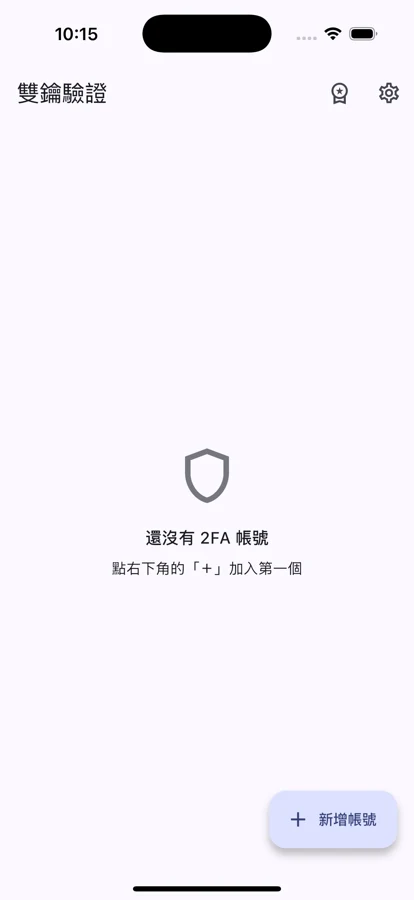
The app opens on the list; tap a card to copy. The ring turns red in the last quarter of the cycle so you know this one is about to roll over. A monospaced face keeps the six digits readable. Counter-based accounts have a regenerate button on the right — one tap moves to the next code.
The vault: passwords come too
Service name, username, password, address and a note, saved as one entry and encrypted before it is written. Search the list by title, username or note. Not tied to a browser, not tied to any account, and currently free with no limit.
Private notes
The things that do not belong in an ordinary notes app — policy numbers, a door code, recovery codes, something written only for yourself — go here, encrypted before they are written. They share the same key and the same backup as the vault, and are currently free as well.
Backup and restore, for the new phone
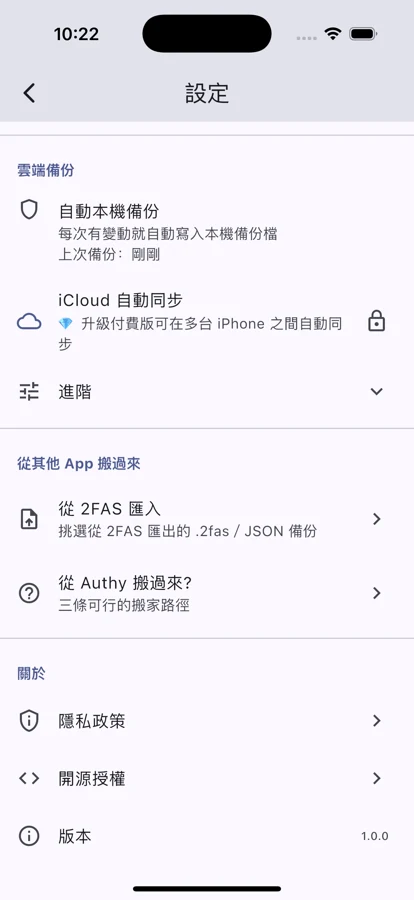
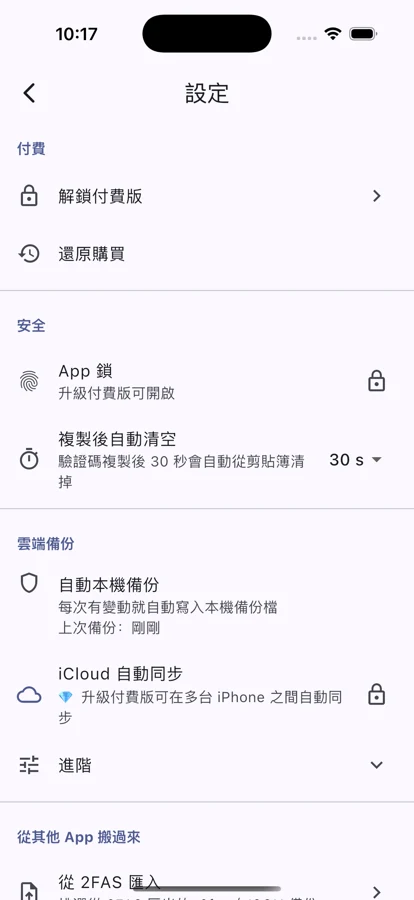
Pro backup encrypts codes, vault and notes together and writes them to your own iCloud or Google storage; sign in on the new phone with the same account and restore. If you would rather keep the cloud out of it, export everything to a single file protected by a master password and keep it yourself.
From encrypted keys to seven languages
This is a tool you open several times a day, so every bit of friction counts. DualKey gets the encryption, the backup, the languages and the details right.
- Standard TOTP and HOTP (RFC 6238 and RFC 4226), compatible with every service that supports two-factor
- Code secrets and vault entries in the iOS Keychain and Android Keystore, the system's encrypted store
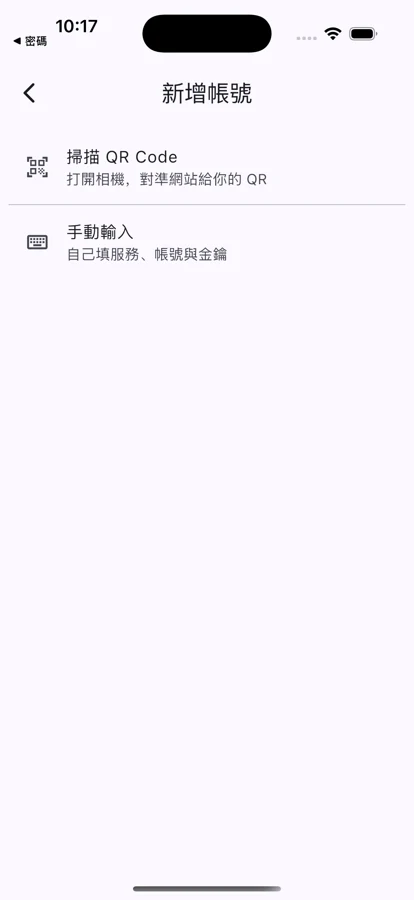
- Import by scanning an otpauth QR code, or type the secret in by hand
- Migrate from an Authy export file and bring every account over at once
- Vault: usernames, passwords, addresses and notes stored encrypted and searchable — currently free
- Private notes stored encrypted, sharing the same key as the vault
- Pro backup: encrypted, written to your own iCloud or Google storage, and only when you press it
- Encrypted file export and import behind a master password, for anyone avoiding the cloud
- Biometric unlock for the app (Pro), one more layer
- Account QR export: scan once on the new phone to bring a single account across (the screen warns you not to share it)
- Account health check: duplicates, incomplete entries and anything not yet backed up get flagged
One page cannot hold it all
From the code list to the vault, the notes and the backup — a slower look at how DualKey makes keeping things safe straightforward.
Codes
Password vault
Private notes
Backup and restore
Settings
Pro
When you will reach for it
Switching authenticator apps, keeping passwords away from the browser, or simply wanting it all to stay in your own hands — DualKey has a place in all of it.
Moving over from Authy
You have an Authy export file and no appetite for resetting two-factor on every service one by one. The built-in migration tool reads that file and brings every account across in one go.
Codes you would rather not tie to an account
Some authenticator apps sync your secrets to a cloud account by default. DualKey is offline by default; the cloud is a Pro option, it is your own storage, and whether to use it is up to you.
Passwords you would rather not hand to a browser
Letting the browser remember passwords is convenient, but it also hands a long list of logins to a program that talks to the internet. The vault keeps them encrypted on the device — no browser, no account, and a search box when you need one.
Things written only for yourself
Policy numbers, a door code, two-factor recovery codes — in an ordinary notes app, anyone scrolling through will find them. Put them in private notes, encrypted before they are written.
Changing phones without losing anything
An old phone dies and resetting two-factor on everything is a nightmare. Pro backup means the new phone signs in to the same account and restores once.
An offline copy you hold yourself
Not keen on the cloud? Export to a single file protected by a master password, send it to yourself, put it on a USB stick or your own storage at home. Without that password it does not open.
Why DualKey
More than an authenticator — offline, bought once, tracking nothing.
Offline by default
Code secrets and vault entries live in the iOS Keychain and Android Keystore; note contents are encrypted before they are written. No backend of ours, no forced sync, no analytics of any kind.
NT$30 once. Yours forever.
No subscription, no monthly fee. The password vault and private notes are currently free with no limit; from the fifth authenticator account onwards, adding another means one short ad first, and Pro removes ads permanently and unlocks cloud backup.
Nothing to track, nothing to give
No email, no phone number, no name. The Pro purchase is handled by Apple and Google, so we cannot even see whether you made it.
FAQ
The questions we get most, so you can tell quickly whether DualKey suits you. The full list is on the FAQ page.
No. DualKey has no accounts — open it and start. We do not ask for an email address, a name, a phone number or a date of birth. The Pro purchase is verified by your Apple ID or Google account, so we cannot even see whether you bought it.
Not by default. The free tier is entirely offline, with secrets and vault entries in the system's encrypted store and notes encrypted on the device. Pro adds a backup, but the contents are encrypted and written only to your own iCloud or Google storage, in a folder only you can see, and only when you press it. Our servers are never involved.
Yes. DualKey has a built-in migration tool that reads an Authy export file and brings everything across at once. If another app can produce a transfer QR code, you can simply scan it. Failing that, type it in by hand: service name, account and secret are all it takes.
Free: the vault and private notes with no limit, code accounts with no limit (from the fifth onwards, one short ad before adding another), the standard algorithms, QR scanning, the migration tool and encrypted file export. Pro is NT$30 once: ads gone for good, cloud backup, biometric unlock for the app and account QR export.
The backup is encrypted with your master password before it leaves the device, and it is written into an isolated folder under your own account that only you and this app can see. The platform adds its own account isolation and encryption at rest on top. We have no backend, so we see nothing at all — and without your master password, that file does not open for anyone.
Bring the things that should be locked away back onto your own device
NT$30 one-time. The vault and private notes are free with no limit; from the fifth code account onwards, adding another means watching one ad.